Embarking on a DIY computer upgrade is often a humorous chaos of tangled wires, incompatible parts, and unforeseen surprises. From installing new hardware to troubleshooting startup issues, the journey is filled with moments of frustration and laughter alike. Have you ever wrestled a graphics card into a case or discovered a tiny cable preventing your system from booting? These experiences highlight the unpredictable nature of hardware upgrades and the importance of patience, organization, and knowledge. The insider tips on verifying compatibility, managing cables, and troubleshooting common problems turn chaos into confidence. As hardware evolves, so do tools and methods to simplify these projects—yet the core skills of careful planning and calm troubleshooting remain essential. Could embracing the mess and learning from mishaps lead to not just a faster machine but also a rewarding mastery of your hardware? This blend of humor, learning, and perseverance invites everyone to see upgrade chaos as an opportunity for growth and fun.
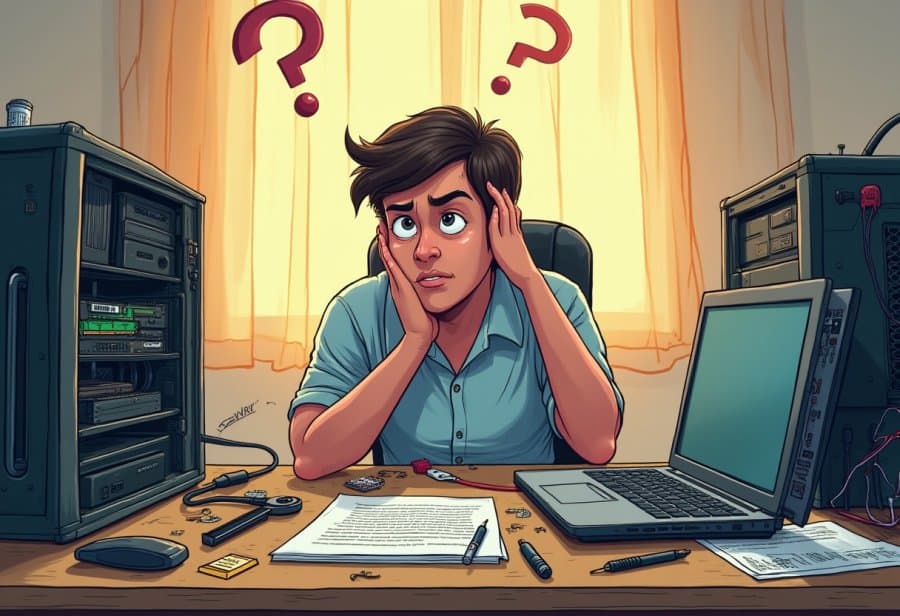
The Exciting Chaos of DIY Computer Upgrades
Upgrading your computer yourself can be both exciting and a little chaotic, but that’s part of the charm. There’s a real satisfaction in swapping out an old hard drive for a shiny new SSD or adding more RAM to keep up with your multitasking. It’s like giving your machine a little boost, making everything run faster and smoother. But along with that comes the inevitable mess—tangled cables, tiny screws, and a mountain of manuals that seem to be in a language all their own.
Many people start out imagining a quick, straightforward upgrade, only to find themselves knee-deep in a web of wires and components. Compatibility issues pop up more often than expected—your new graphics card might be too big for your case, or your motherboard might not support the latest processor. Static shocks sneak in, risking damage to sensitive parts, and cable management often takes a backseat until everything looks more spaghetti than sleek.
The process can quickly turn into a comedy of errors. You might confidently insert a component only to realize it’s at the wrong angle, or spend hours troubleshooting why your PC refuses to turn on—only to discover a loose power cable or a forgotten switch. Even seasoned DIY builders have faced these setbacks. Those moments of frustration, while maddening at the time, often become the stories you’ll laugh about later.
There’s also the humor in discovering that parts just don’t fit the way you expected. Perhaps your new case is too small for that massive graphics card, or your cooling system clashes with your motherboard. These surprises turn what seemed like a simple upgrade into a puzzle, testing patience and problem-solving skills. But each mistake is a step toward understanding your hardware better and building confidence for future projects.
Despite the chaos, many find the experience rewarding. It’s about more than just performance gains—it’s a journey of patience, learning, and sometimes, a good sense of humor. Every tangled cable or misstep becomes part of the story, reminding you that even the most complex upgrades are manageable when approached calmly. Once you get through it, the satisfaction of a job well done is worth every scrambled wire and minor mishap.
Unveiling the Inner Workings of Your PC for Smarter Upgrades
Before diving into the messy world of cables and screws, it’s helpful to understand what’s actually inside your computer and how these parts work together. The main components—CPU, RAM, motherboard, storage drives, and graphics card—each have a specific role in keeping your system running smoothly. The CPU, or central processing unit, acts as the brain, executing instructions and handling calculations. Upgrading it can significantly boost performance, especially for demanding tasks. RAM, or random access memory, temporarily holds data for quick access, allowing multiple applications to run without slowing down. More RAM means your system can handle more tasks at once without lagging.
The motherboard connects everything, serving as the central hub for data flow between components. Compatibility between your motherboard and new hardware is crucial; a mismatch can turn your upgrade into a troubleshooting nightmare. Storage drives, particularly SSDs, are among the easiest and most impactful upgrades, drastically reducing load times and making your system feel snappier. When choosing parts, pay attention to physical size, power requirements, and supported features to avoid surprises during installation. Knowing these basics turns what might seem like a confusing jumble of parts into a strategic plan.
Preparing for an upgrade involves more than just picking the right components. Having the right tools—like screwdrivers, anti-static wristbands, and good lighting—makes all the difference. Setting up a clean workspace helps keep track of tiny screws and prevents static electricity from damaging sensitive parts. Reading manuals or watching quick tutorials on installation can clarify tricky steps and prevent accidental damage. This groundwork transforms a potentially chaotic process into a confident, controlled project, reducing the risk of mistakes.
Ensuring compatibility is key. Your new CPU must fit the socket on your motherboard, and your RAM needs to meet supported speeds and capacities. Power supply capacity matters, especially when adding high-end graphics cards or multiple drives. Static electricity is a silent enemy; grounding yourself before handling components prevents costly shocks. Double-check all connections and seating before powering on. A little extra caution during these steps can save hours of troubleshooting or replacing damaged parts later.
Cables inside your case tend to become a tangled mess during upgrades, especially when adding new hardware. Power cords, data cables, and fan connections can quickly turn into a spaghetti web that hampers airflow and complicates future fixes. Routing cables neatly along case edges and securing them with ties or Velcro keeps things tidy and improves airflow. Proper cable management not only looks better but also makes troubleshooting easier down the line. Taking a few moments to organize now pays off in smoother upgrades and fewer headaches later.

Hilarious Mishaps and Surprising Blunders in DIY Tech Projects
Trying to upgrade your computer often feels like stepping into a comedy of errors. One classic scene is when you confidently slide in a new graphics card only to realize it’s way too tall for your case. Suddenly, you’re contorting yourself into strange positions, trying to squeeze it in without damaging anything, all while silently wishing you had measured first. It’s a familiar scenario: force it in and hope for the best—sometimes it works, but more often it leads to frustration or a broken part.
Then there are the wiring mishaps that turn into a comedy show. You think you’ve connected everything properly—only to power up and see nothing happen. Double-checking reveals you’ve plugged a power cable into the wrong port or missed a connector altogether. It’s almost amusing how a tiny mistake like that can keep your entire upgrade from working, forcing you to retrace your steps and question your life choices. These little slip-ups remind us that even simple tasks can become complex puzzles in the blink of an eye.
A common highlight (or lowlight) is troubleshooting a system that refuses to turn on, only to realize you forgot to flip the switch on the power supply or plug in the main cable. That moment of realization, often accompanied by a mix of embarrassment and disbelief, is a universal experience. It’s humbling how a loose plug or an unseated cable can be the root of all evil. It’s a quick reminder that before diving into deep troubleshooting, it’s worth checking the basics—sometimes the solution is staring you right in the face.
Static shocks are another unexpected source of chaos. Imagine carefully handling a shiny new RAM stick, only to be zapped by a tiny static shock from your own body. The panic that follows—hoping nothing got fried—can be enough to make you reconsider touching anything again. Static electricity is sneaky and unforgiving; a single spark can turn a straightforward upgrade into a costly repair. Proper grounding and patience become your best allies, turning static from a villain into just another part of the process.
Sometimes, the most frustrating moments come from hardware just not fitting together as expected. Maybe your new case is too small for that sleek, high-end graphics card, or your cooling system clashes with your motherboard. No matter how well you plan, surprises pop up, transforming a simple upgrade into a puzzle-solving marathon. These mishaps—though maddening—often become the stories everyone laughs about afterward. Once everything finally clicks into place, the chaos fades into a distant memory, replaced by a sense of achievement and a good laugh at the mess along the way.
Mastering the Art of Managing Upgrade Chaos with Practical Tips
Navigating the chaos of a DIY upgrade can feel overwhelming at first, but a few simple habits make all the difference. Start by organizing your workspace before you even open the boxes. Lay out your tools, screws, and components in a designated, clutter-free area. This small step prevents endless searches for tiny screws or tools and keeps the process calm and focused. When everything is within reach, it becomes easier to stay methodical rather than rushing through each step.
Double-check compatibility before you begin installing anything. Cross-reference your new hardware with your existing system specs—your motherboard, power supply, and case. It’s surprisingly common to buy a shiny new graphics card only to discover it’s too large for your case or demands more power than your current supply can provide. Spending a few minutes verifying fit and support upfront can save hours of troubleshooting later, turning a potential headache into a smooth process.
As you start installing components, take your time. Rushing leads to miswired cables, improperly seated RAM, or even damaging delicate parts. Carefully plug each cable into the correct port, ensuring they’re fully inserted. If something doesn’t seem to fit, pause and double-check rather than forcing it. Forcing parts can cause damage or break connectors, which might lead to more frustration down the line. Patience during installation is your best tool for avoiding costly mistakes.
Cable management is more than just making your build look tidy—it improves airflow and simplifies future upgrades or troubleshooting. Route cables along the case edges and secure them with ties or Velcro straps. Neatly organized cables prevent overheating and make it easier to spot issues later. Before powering up, do a quick visual check to confirm all connections are secure and components are properly seated. This small step can prevent startup failures and save hours of troubleshooting if something goes wrong.
When you press the power button for the first time, expect some surprises. Sometimes, hardware won’t recognize new components immediately, or BIOS updates are needed. Keep your motherboard manual handy and know where to find online support. If the system doesn’t boot, revisit your connections, reset BIOS settings, and check for error codes. Troubleshooting is about following a logical sequence, not guessing blindly. Staying calm and systematic makes even tough problems manageable.
Finally, remember that mistakes happen—every builder faces setbacks. Keep notes of what worked and what didn’t, and view each stumble as a learning opportunity. Over time, your upgrades will become more straightforward, and the chaos will give way to confidence. Staying organized and patient turns what seems like a hardware minefield into a manageable, even enjoyable project. With practice, you’ll find that the chaos transforms into a satisfying journey of discovery and improvement.

Looking Ahead: Trends and Tips for Future-Proofing Your Upgrades
As DIY computer upgrades become more accessible, they also introduce new challenges and exciting opportunities. Advances in hardware design and tools are making upgrades simpler, more reliable, and more approachable for everyone. Features like plug-and-play components, smarter BIOS interfaces, and online compatibility checkers help reduce the chaos of tangled cables and incompatible parts. These innovations empower even beginners to approach upgrades with confidence, transforming what used to be a messy, daunting process into a more straightforward project.
That said, rushing through an upgrade can still lead to spaghetti cables, missed connections, and hardware mishaps. Taking the time to verify compatibility, organize your workspace, and follow clear steps makes each project smoother and more successful. Developing good habits around planning and patience not only minimizes mistakes but also helps you build skills that make future upgrades easier. Over time, these routines turn a chaotic experience into a manageable, even enjoyable, process.
Looking ahead, hardware standards and formats are evolving rapidly. Modular components, enhanced BIOS features, and intuitive cable management tools promise to cut down on the mess and frustration of traditional upgrades. These developments aim to make building and upgrading your PC more user-friendly, but they also require staying informed about current tech trends. Being cautious and well-informed ensures you can benefit from these innovations without falling into old pitfalls.
Even with these advancements, the core skills of patience, organization, and careful planning remain essential. Mistakes and setbacks are inevitable, but they’re also part of the learning curve. Embracing the chaos and viewing challenges as opportunities to learn keeps the upgrade journey enjoyable rather than overwhelming. These moments of misstep often become memorable stories that reinforce your growing confidence and expertise.
Managing expectations and staying organized are key to a smoother upgrade process. Taking the time to plan, verify parts, and work methodically prevents many common problems. Remember that even experienced builders faced their share of spaghetti cables and failed attempts. Each project is a chance to learn and improve, gradually turning what once felt like a hardware minefield into a confident, routine task.
The real reward isn’t just a faster, more capable machine—it’s the skills and confidence you develop along the way. With patience, curiosity, and a sense of humor, every upgrade becomes an adventure rather than a disaster. The chaotic moments, while frustrating at the time, often turn into stories you’ll laugh about later, reminding you that the journey is just as valuable as the destination. In the end, embracing the mess transforms a daunting task into a rewarding experience.